Using PowerPoint as Virtual Whiteboard

When I was in school, teachers used to use chalkboard as their tool to present the lessons transferring ideas. … and that means, over 30s years ago 😉 x_x

Different then my first teaching experience, I used “whiteboard” as writing tool, advancing to Over Head Projector and then presentation software.

Since entering the era of 21st Century learning and teaching, medium for education field had been advancing too. Media getting easier to access by teachers or students, to the point that a teacher once said “Good to have YouTube. Just play a mathematics video and we can sit comfortably” (the video mentioned is the one from Salman Khan)  “Aha! with Wolfram Alpha, you don’t need to write down the formula, just run it through Wolfram’s site” x_x uh oh, but er… this is not what i’m going to write about 🙂

Back to the topic of PPT as class presentation media. After created several presentation slide and skilled with “pen stylus”, I asked my self ‘why not combine both?’

Imagine, if presenting through a projector, then a full writeable board is in front of us through a writing medium of 3.6″ x 5.8″, all while we face the students all the time, instead of showing our back to them.

If the presentation slide already filled with the content, we want to add some information while presenting, then we can easily write on the slide.

Here are the steps to write on virtual whiteboard from a blank PPT file:

1. I feel convenient using “pen stylus” commonly used by graphic design industry, but of course, this technique is equally applicable with any mouse (the sample picture showing a pen manufactured by Wacom, Intuos 4)
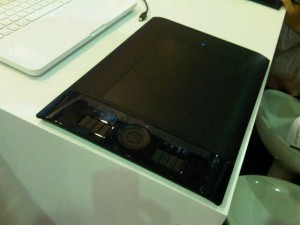
intuos 4 wacom

2. Prepare the whiteboard through the projector:
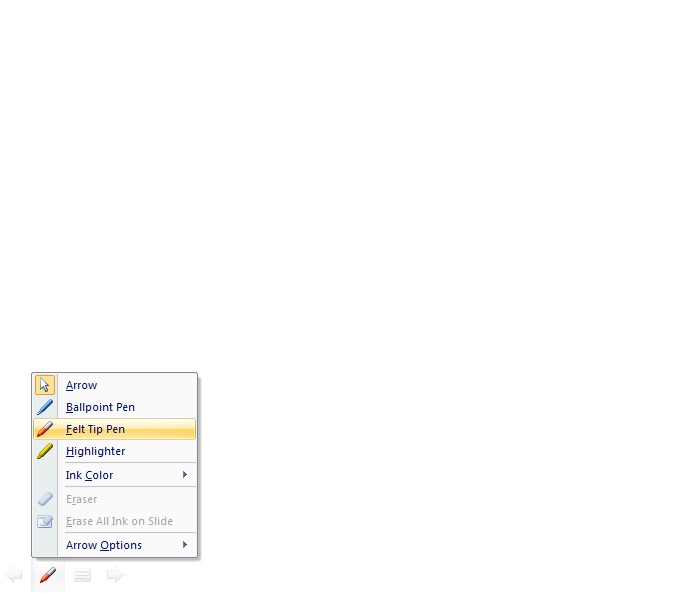
CBW1

3. Start writing and explain the material:
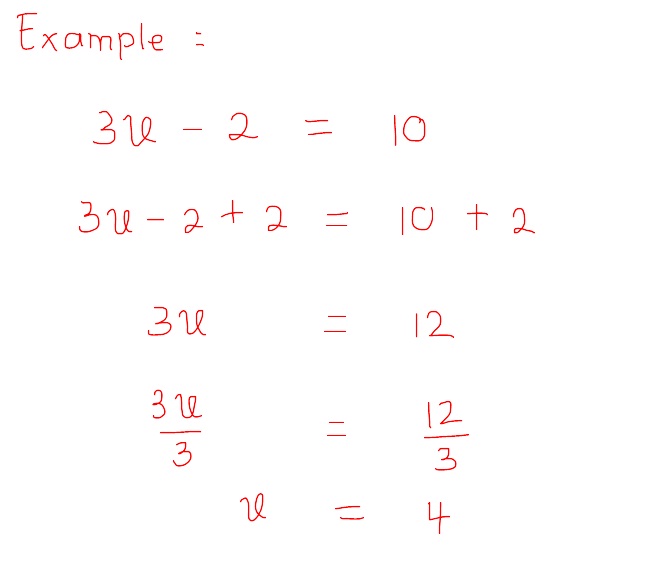
CBW2

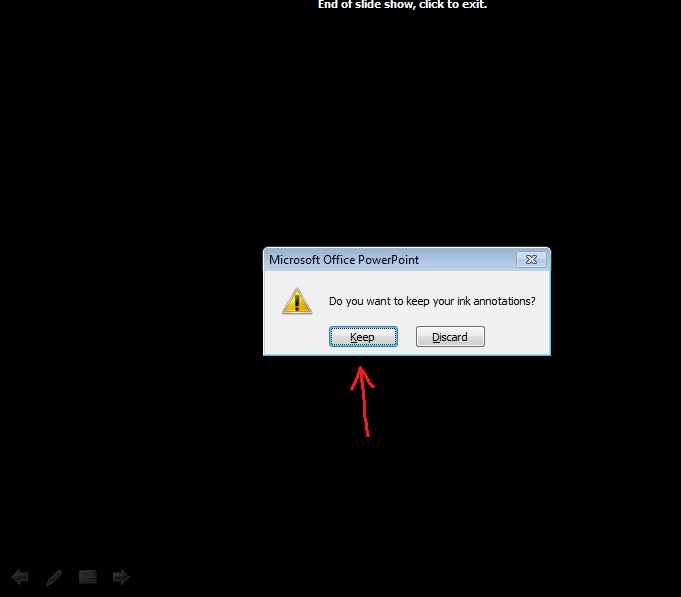
4. Save one screen after you finished:
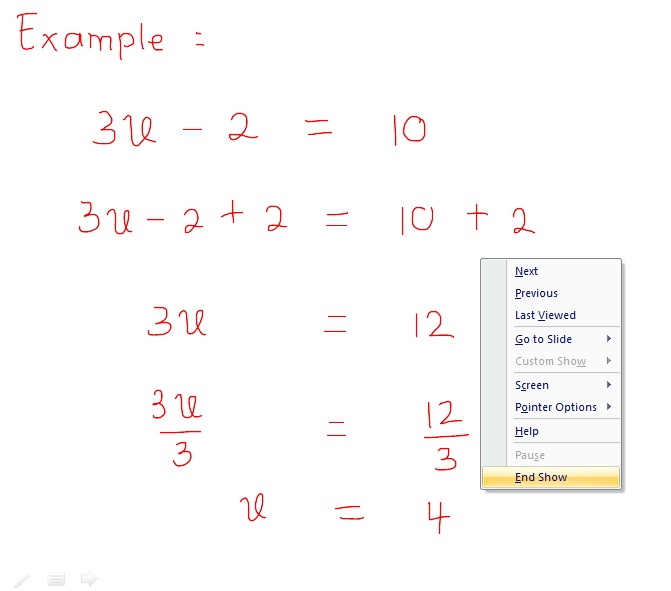
CBW3

CBW4

5. In the menu Edit, your writing will turn into a picture.
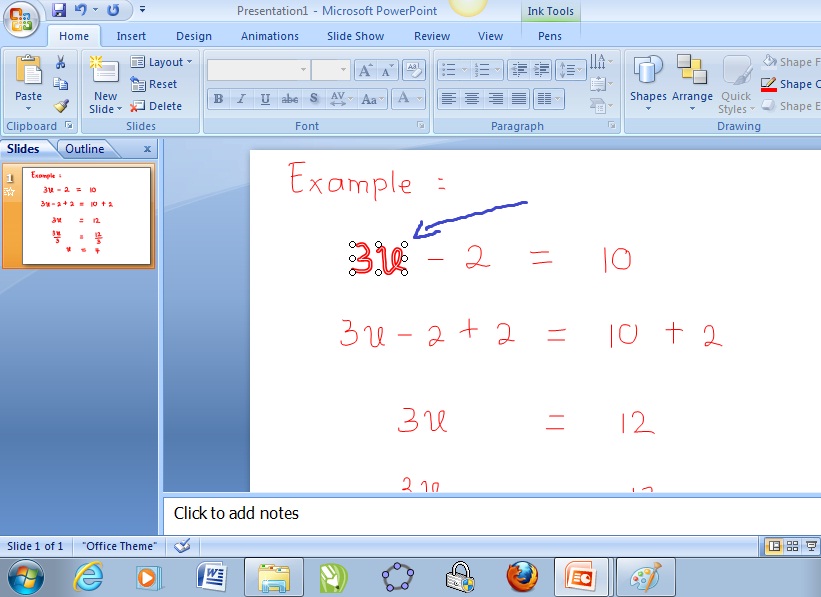
CBW5

6. Save your PPT as usual and the file can be distributed to the students if necessary. It might help recall students’ memory about what they observe during your lesson. Of course, you can combine this with screen recording technique as was explained in the previous article “Live Recording of Class Teaching” and produce an easily re-playable video to be “fast forwarded or replayed” according to the viewers need.

With the spirit of Curriculum of 2013, I imagine this technique might be combined with “Latex” (mathematics) to wrote down the formulas, with chemistry to have this interesting Molecule structure to sketch, with Bahasa Indonesia to explain words hyphenation and intonation on a sentence. Wow, a lot of practical application.

As mentioned,  these steps are just one from various available media today. Each have their own uniqueness and could be used for the same target, depending on each teachers ability and availability (from the simplest to the most advanced).

For me, this method is most appropriate to communicate with students while keep watching them while doing my explanation in the lecture style classroom, with additional advantage to walk to to closer to middle of the students if the pen stylus have a wireless facility.

Happy Learning!


To help you, recall our lessons….. :)

This is just a list of some sentences that I used the most in class during lesson. I hope you remember, because you can start study from here 😉

Year 7:

* Treat both sides in equally (when you add/subtract/multiply/divide something on your left/right, you must do the same thing on the opposite side).

* Translate from language to algebraic expression (mathematical notation). eg: doubled, trebled, comes before, just after

* Simplify multiplication, division, factorisation, expansion…..

* Step by step on words problem. After reading the sentence, let x denote the unknown then derive an equation and finally solve it.

Year 8:

* List the element / member of sets, when the members are listed in Venn diagram.

* Number of element of sets appears as the total element in one set.

* Shading on Venn Diagram can be started from the notation in bracket first.

* When try to draw a labelled venn diagram, first time you must fill the intersection area, then step by step to the other areas.

Year 9:

* To find the perimeter of a combine shape, choose one vertex as your starting point and then you go through along the edges until reach back to the same starting point.

* After recognising problems on PERPENDICULAR BISECTOR LINE and COMMON TANGENT, to solve the problems, you must use PYTHAGORAS’ THEOREM.

* Theorems in Angle Properties that you’ve learned: Angle at the center, Angle at the circumference, Angle at the circumference when facing diameter must be 90 degrees, Opposite angle in cyclic Quadrilateral is 180 degress, External angle at one vertex in cyclic quadrilateral is equal to its internal opposite angle.

After this go to E-learning if you forgot or lost the paper of final exam notification 😀

Good Luck all on your Final Exam. GBU


Dari Menuju sampai Menjadi

Jalan hidup membawa saya sebagai pengajar, lalu menjadi pendidik. Jalan hidup yang sama sebagai pendidik telah memberikan saya kesempatan untuk melihat, terlibat, dan mengalami perubahan jaman, dari penghujung abad 20 hingga ke abad 21.

Suatu masa yang menarik, dimana perubahan-perubahan besar terjadi (seperti pernah saya sharingkan dalam “Pengajaran dan Pembelajaran Abad 21 – dari perspektif saya“). Masa dimana saya merasa sering berpikir “apa sih skill abad 21 itu?”

Beruntung saya sempat mendapat konfirmasi beberapa skill tersebut saat PLPG. Baru-baru ini juga merasa beruntung lagi saat mendapat konfirmasi lain melalui pelatihan pengembangan profesi di tempat saya bekerja. Seorang expat spesialis pendidikan yang bertindak sebagaii fasilitator pengembangan profesi ditempat saya bekerja ternyata merasa saya amat memenuhi kemampuan abad 21. #thankyoumsEve

Senang? Ya senang dong dihargai tempat bekerja 😀 Tetapi juga yang menarik adalah standard ukurannya yang saya pikir kok menarik untuk disharingkan.

Beberapa pointnya adalah:

– Kualitas presentasi, termasuk penggunaan bahasa instruksional dan bahasa tubuh. Bahasa instruksional ini menarik karena sebenarnya memang ada alat ukur kemampuan berbahasa instruksional (lagi-lagi buatan negeri seberang sih dan bukan yang baru menang 2-0 dari kita ya ;))

– Kemampuan bereksperimen dengan ide baru. Eksperimen? Wah berarti ia tahu ada resiko terhadap mencoba ide baru.

– Kemampuan menyampaikan informasi dan berpikir kritis. Kemampuan dasar dari orang terdidik, walau sayangnya berpikir kritis ehm… mungkin tidak selalu diterima di latar budaya kita.

– Terakhir, yaitu kemampuan menggunakan teknologi (teknologi yang bukan cuma sekedar tempelan dari internet dan pencantuman video youtube).

Sedang senang dihargai pelatih, eh, bertemu lagilah dengan si Abad 21 yang masih saja membawa perubahan dan kesempatan belajar.

Minggu lalu ditandai dengan uji publik kurikulum 2013 yang merupakan usaha perbaikan dari kurikulum yang berawal dari tahun 2004. Terutama rekan guru era baru, mungkin amat menarik jika kita memperhatikan niatan pemerintah: TIK menjadi sarana pembelajaran pada semua mata pelajaran, tidak berdiri sendiri.

Perubahan dari teknologi informasi sebagai nilai tambah menjadi sebagai sarana tetap dalam pembelajaran, tentunya memiliki efek berantai bagi guru, sekolah dan murid.

Juga menarik jika melihat dalam dokumen yang sama disebutkan bahwa ada penambahan jam pelajaran karena ada pelajaran-pelajaran yang digabung. Waduh 😀 nambah jam? Kena gak ya? Apa akan jadi kena 32 period per minggu? X_X *sound efek kepala pusing* *32 period dibanding 18 level, dilemma, mana yang lebih pusing? ;)* #marimembahassoal18unikkelassetelahyangsatuini

Satu hal yang pasti, mungkin saatnya belajar (lagi) deh bagaimana supaya lebih mengefisienkan kemampuan penggunaan teknologi.

Membagikan pengetahuan ini menjadi salah satu tujuan saya juga selama guru-guru bersedia berkembang dan tidak resisten terhadap perubahan dan juga teknologinya sendiri.

The only person who is educated is the one who has learned how to learn and change ~ Carl Rogers ~


snowflake snowflake snowflake snowflake snowflake snowflake snowflake snowflake